Windows 10/11 Open Source Fast & Modern

A modern, fast, and open-source
Local Web Suite for Windows

If you are still using XAMPP, WAMP, or Laragon, it's time to try BanglaHost! It's more powerful, smarter, and incredibly developer-friendly.

BanglaHost is not just a Local Server—it's a complete Development Ecosystem!
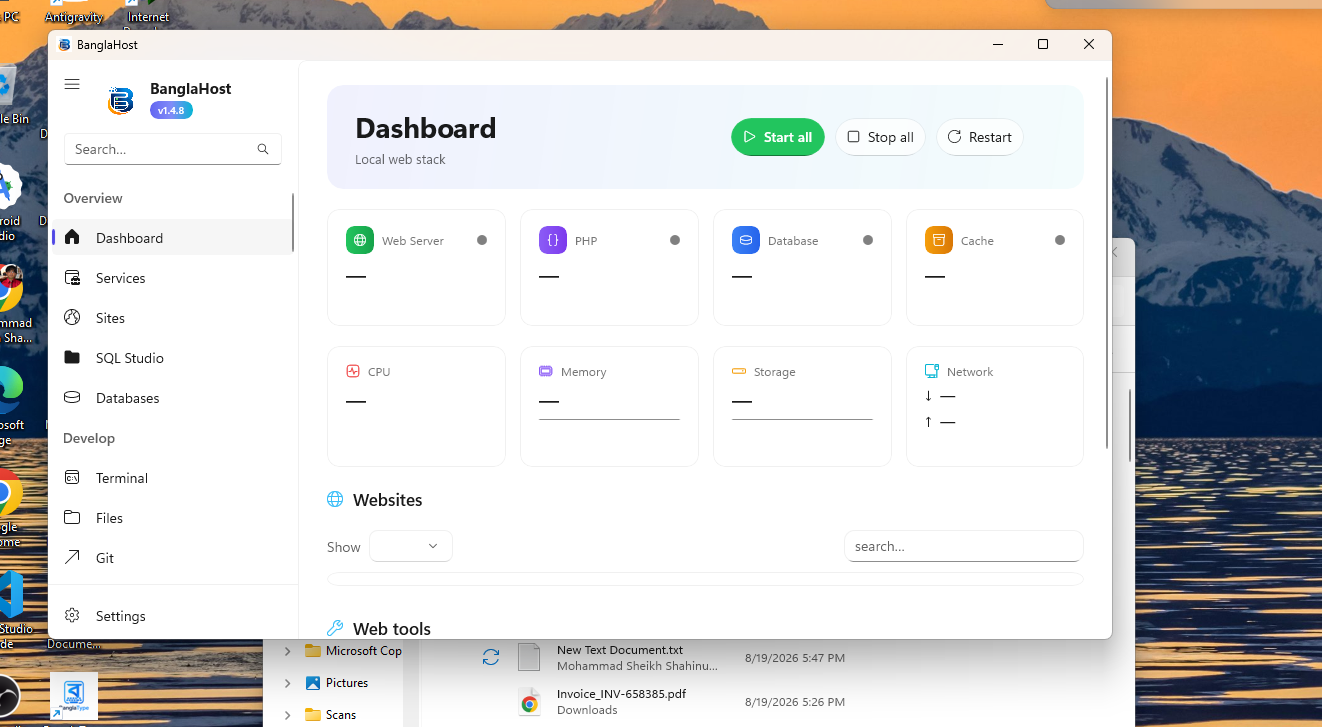
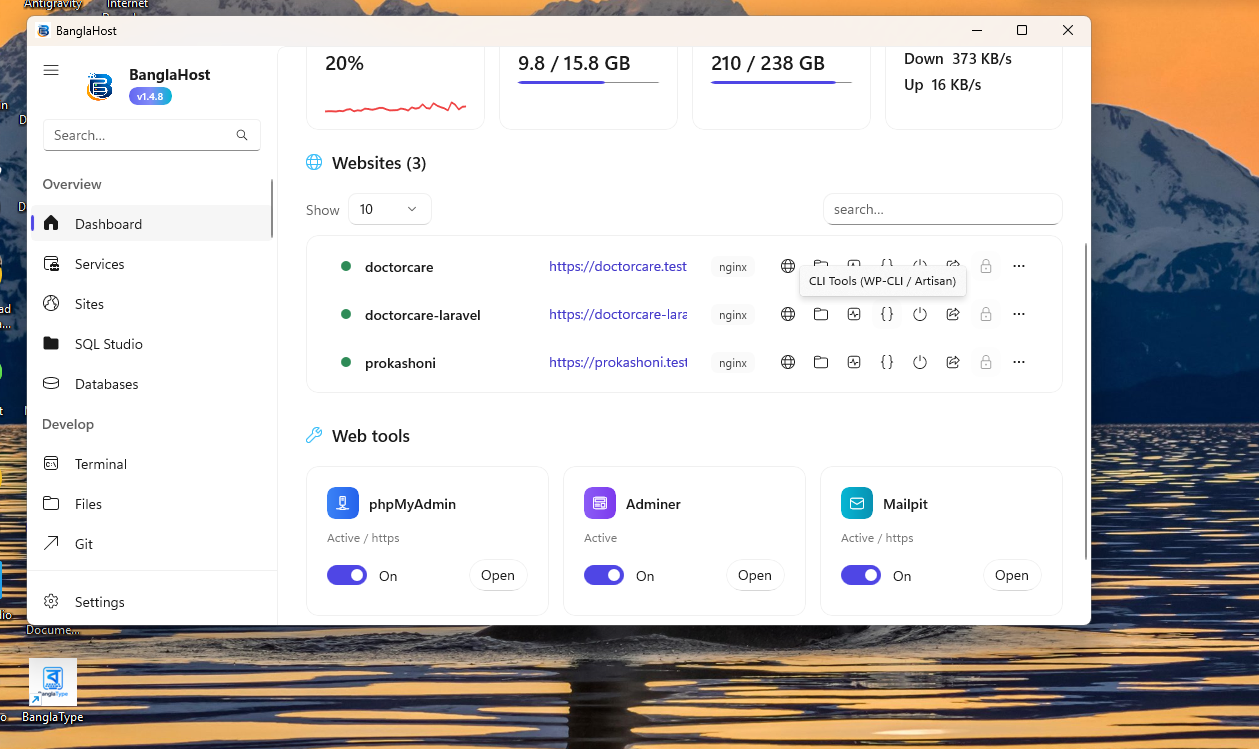
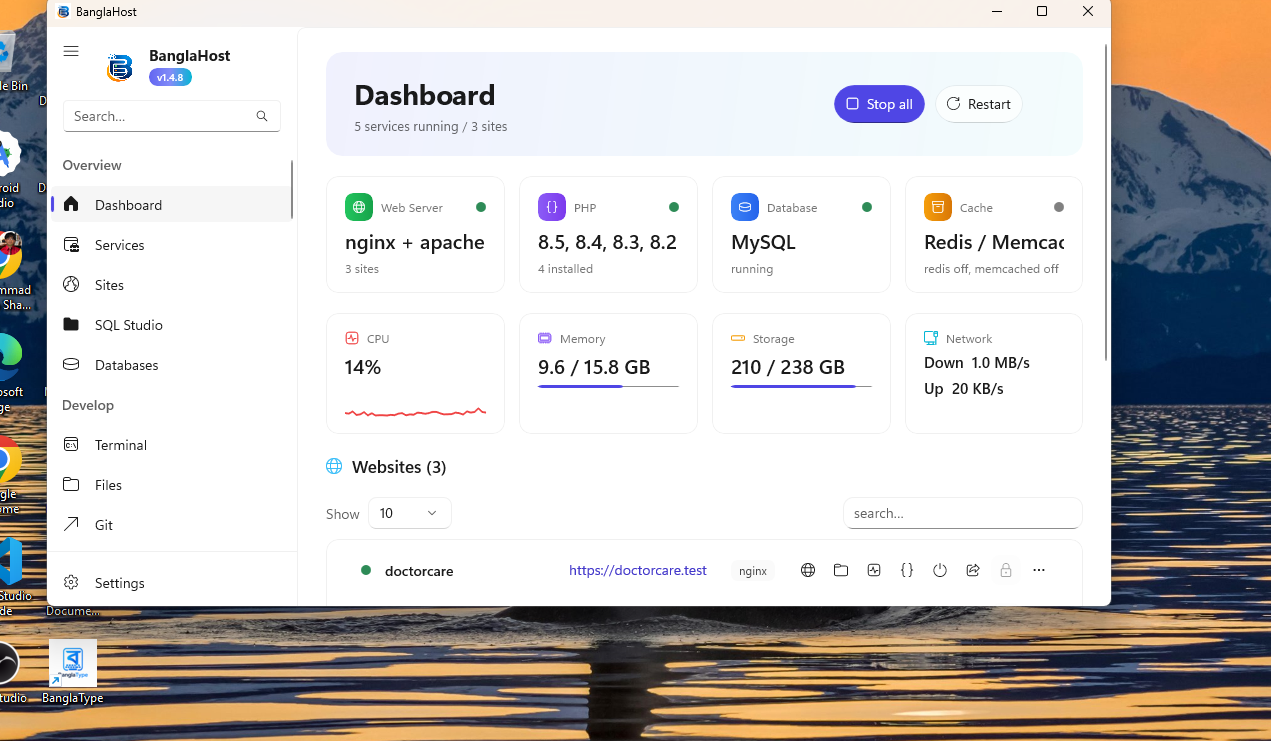
BanglaHost Dashboard Main
EASY SETUP

Start in 3 Easy Steps

No complex configurations or technical headaches required.

1

Download & Install

Download the latest version of BanglaHost and install it in seconds.

2

Add Project

Select your code folder or install WordPress/Laravel with just 1-click.

3

Start Working!

Click "Start". The runtimes and database servers will manage themselves.

VERSION 1.5 UPDATE

✨ What's New?

Take a look at the awesome features in the new version

🚀 Powerful Runtime Manager

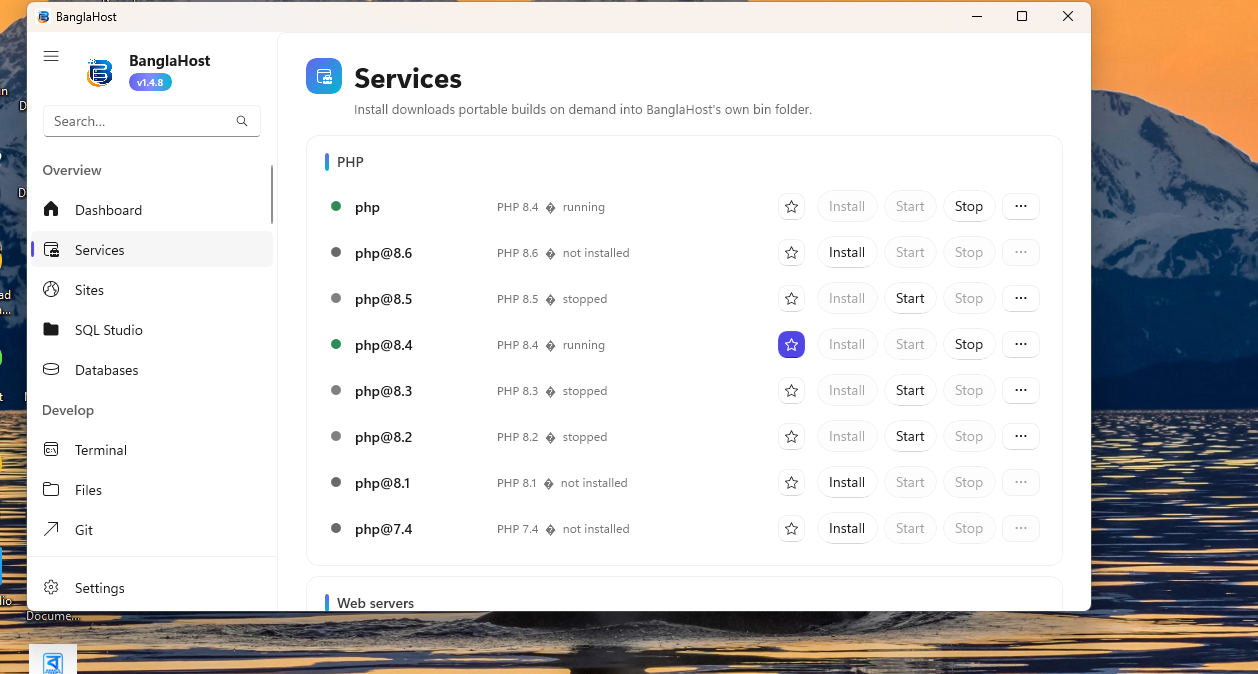
Easily manage multiple PHP Runtimes from the same software and be ready for future runtimes.

🤖 Built-in AI & Ollama

Get AI assistance during development. Use local AI models (Ollama)—fast, private, and offline.

🌐 Cloudflare Tunnel

Securely share your local website online with clients or team members in a few clicks without port forwarding.

📊 New Project Dashboard

Monitor the status of all projects, runtimes, services, CPU/RAM usage, and logs from one place in real-time.

💻 Built-in Developer Tools

Terminal, Git Integration, Composer, WP-CLI, Mailpit, Backup & Restore, Site Clone, and more—now even better.

🎨 Modern WinUI 3 Interface

Clean design, dark mode support, smooth experience, and a native interface perfectly matched with Windows 11.

COMPLETE ECOSYSTEM

🔥 Everything in BanglaHost

Everything you need for Web Development packed into a single software

Servers & Runtimes

  • PHP 7.4–8.6 Support
  • Node.js, Python, Go & Rust
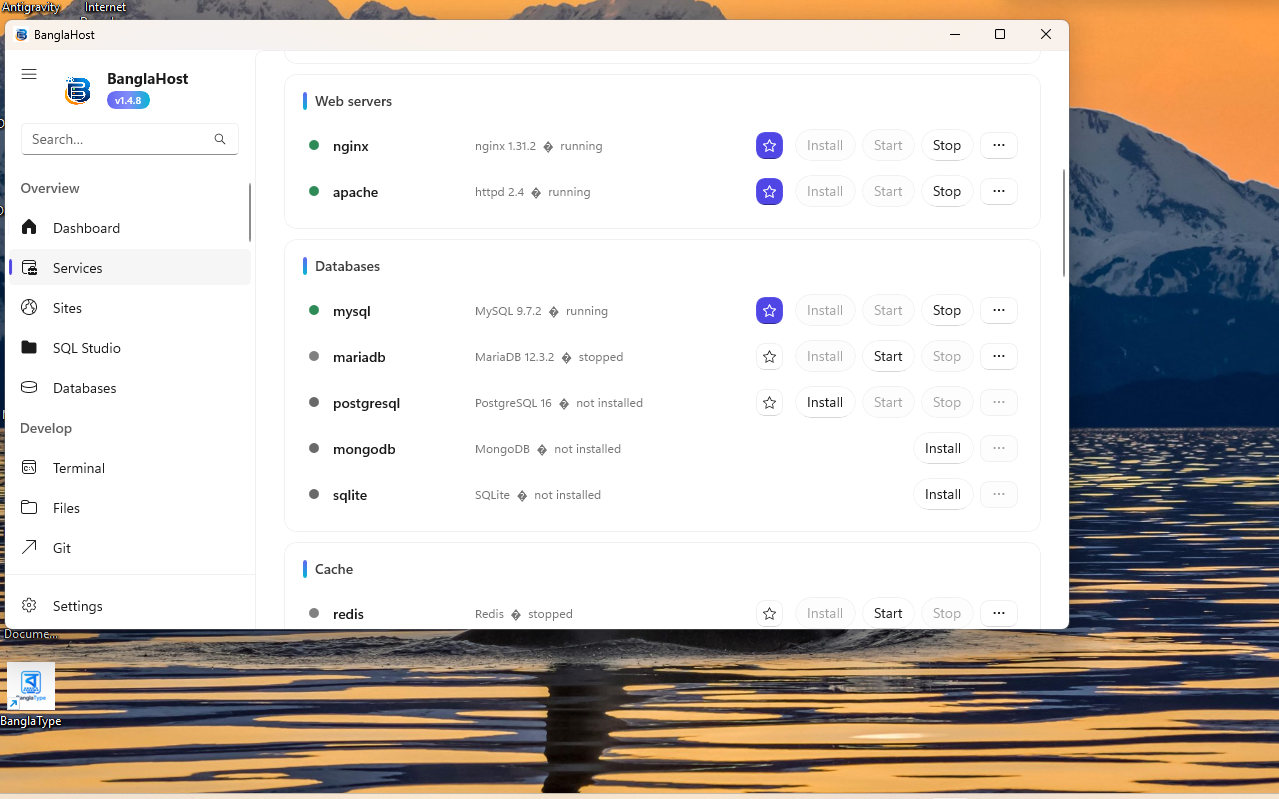
  • Apache & Nginx (High Performance)
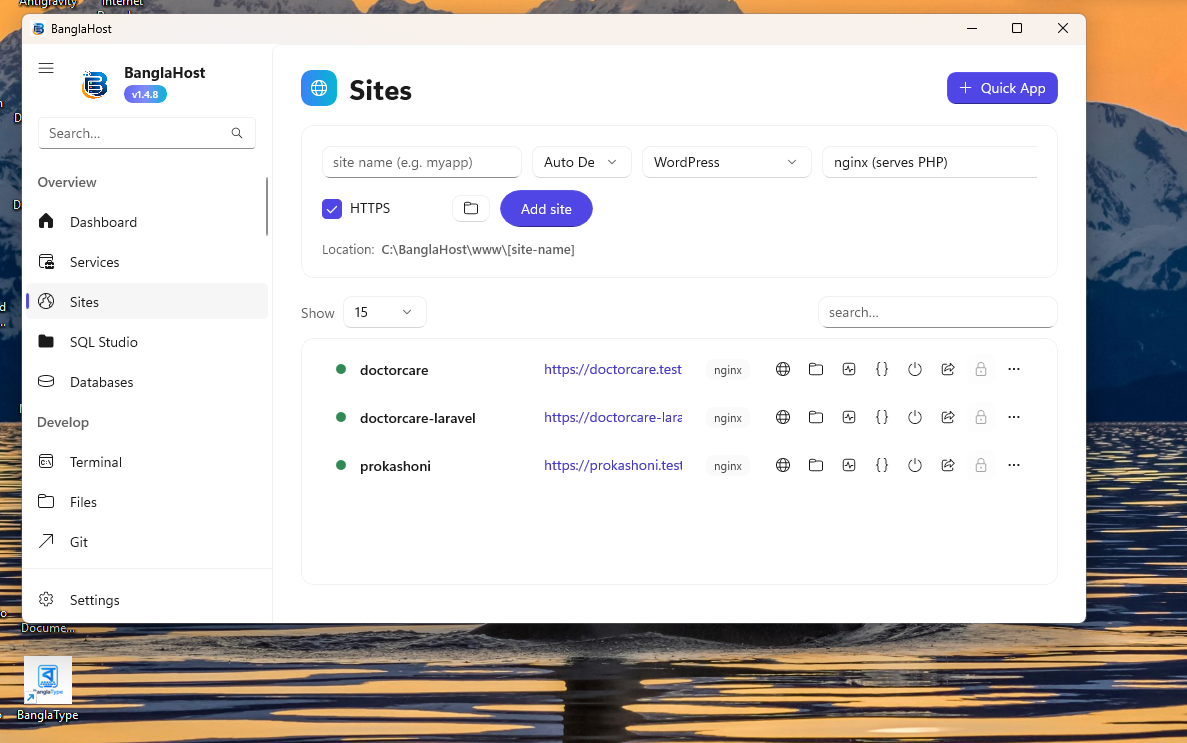
  • Auto Virtual Hosts (.test domains)
  • Local Trusted SSL Certificates
  • PHP Extension Manager & php.ini Editor

Database Management

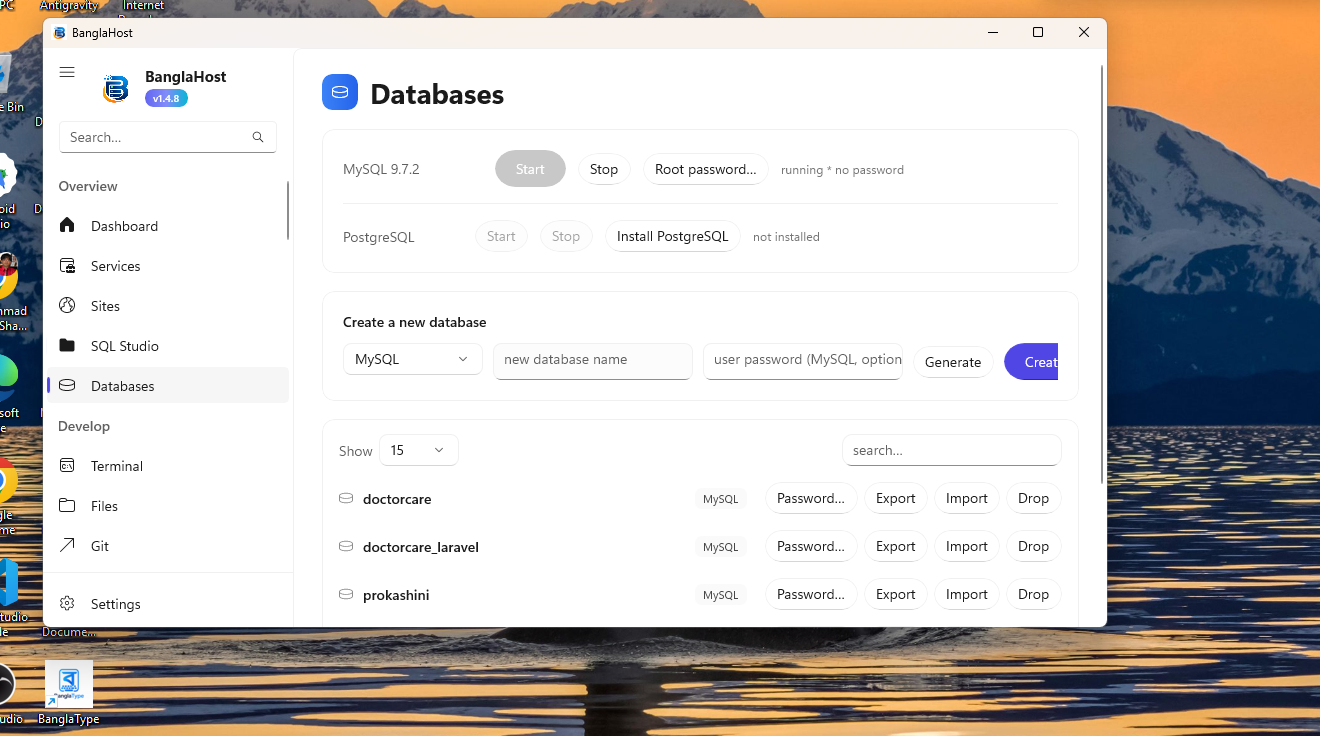
  • MariaDB, MySQL, PostgreSQL
  • MongoDB & SQLite Support
  • Redis & Meilisearch Support
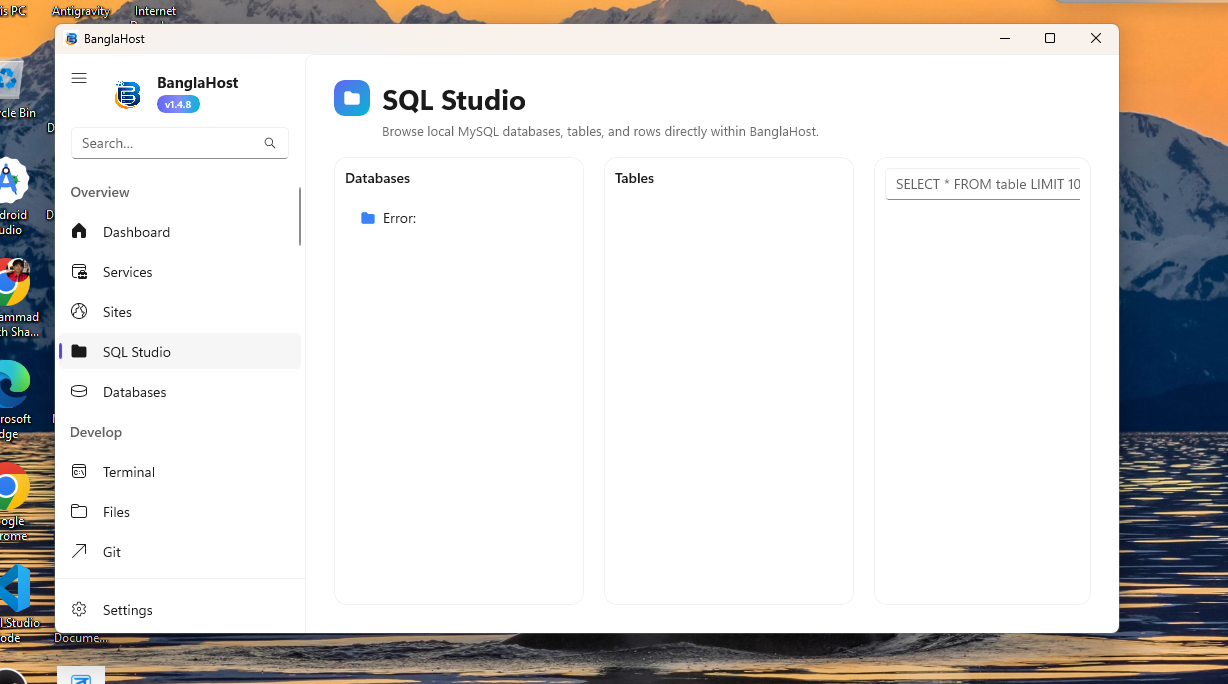
  • Native SQL Studio (No phpMyAdmin needed)
  • 1-Click Database Backup & Restore
  • Isolated Database Environments

Developer Power Tools

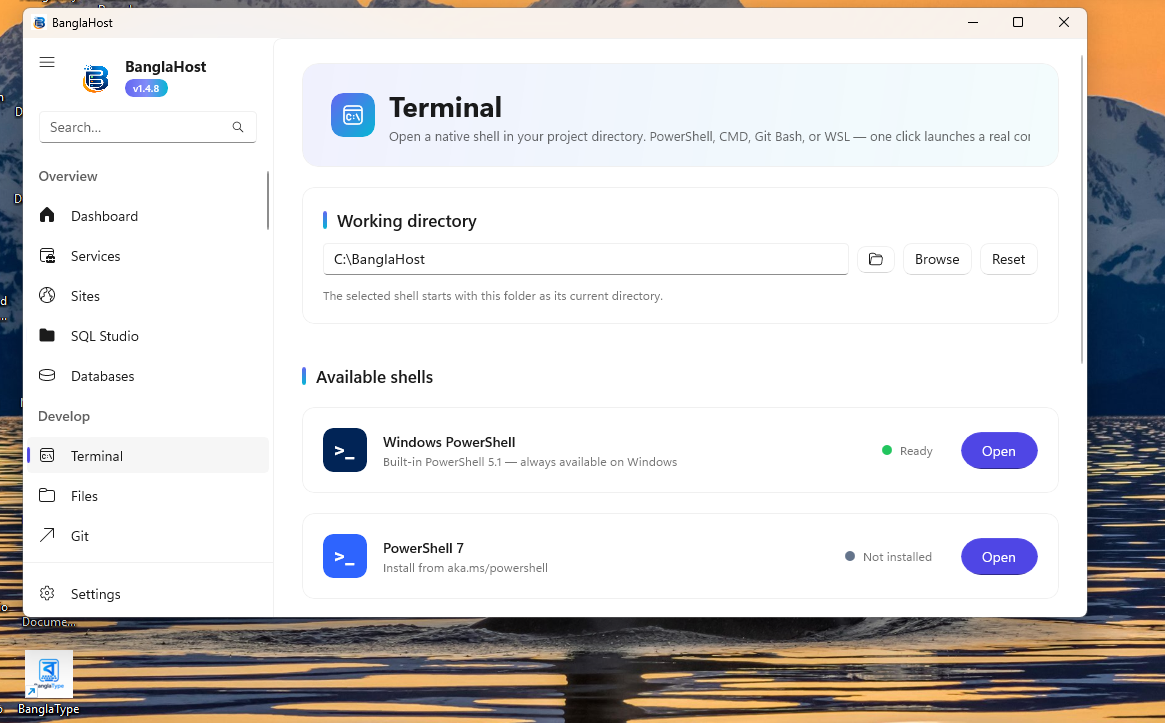
  • Built-in Terminal & PowerShell
  • Composer & WP-CLI Integration
  • Docker Integration Support
  • Mailpit (Email Debugging Sandbox)
  • 1-Click Site Cloning (Staging Environments)
  • Cron Job Scheduler

Automation & Interface

  • System Tray Background Service
  • Auto PHP Version Detection (WordPress/Laravel)
  • System Performance Monitor (CPU/RAM)
  • Dark & Light Mode (WinUI 3)
  • Full English & Bengali Support
  • 1-Click Cloudflare Tunnel Sharing
DEEP DIVE

A to Z Capabilities

BanglaHost hides countless powerful features under the hood. Here is a comprehensive list of its capabilities:

Server & Runtime

  • Multiple PHP Versions: 1-click download and use any version from PHP 7.4 to 8.6.
  • Auto PHP Detection: Select a WordPress or Laravel folder and the correct PHP version is auto-detected.
  • Nginx & Apache: Switch between high-performance web servers seamlessly.
  • Node.js & Python: Full environment management for Node.js apps and Python projects.
  • PHP Extension Manager: Enable or disable PHP extensions directly from the UI.
  • php.ini Editor: Edit configurations for each PHP version independently.
  • Reverse Proxy: Setup reverse proxies for apps running on custom ports.
  • Docker Support: Integrated Docker container management.

Databases & Storage

  • Native SQL Studio: Manage databases with a built-in native app (no phpMyAdmin needed).
  • Relational DBs: Full support for MySQL, MariaDB, and PostgreSQL.
  • NoSQL DBs: MongoDB and SQLite support.
  • In-Memory & Cache: Redis, Meilisearch, and Cache Manager.
  • Backup & Restore: 1-click database backup (SQL dump) and restore.

Developer Tools

  • Built-in Terminal: Integrated PowerShell/CMD with correct environment variables injected.
  • Local SSL: 1-Click Trusted SSL (HTTPS) certificate generation for local sites.
  • Auto Virtual Hosts: Automated Hosts file management (setup any .test domain).
  • API Tester: Built-in tool for testing API endpoints locally (Postman alternative).
  • Mailpit Inbox: Local email testing and debugging sandbox.
  • Env Manager: Dedicated tool to manage project .env files.
  • VS Code Integration: Open project folders in VS Code with a single click.
  • NPM & Package Manager: Run NPM scripts directly from the UI.

Automation & DevOps

  • Site Cloning & Blueprints: Clone an existing site to instantly create a staging environment.
  • Cloudflare Tunnel: Share local sites live on the internet without port forwarding.
  • Cron & Scheduler: Cron Manager to run scripts locally on a specific schedule.
  • Queue Manager: Background job and queue processing.
  • Git & GitHub Actions: Local repository management and Git integration.
  • Deploy Manager: Tools to deploy local sites to production servers.
  • File Watcher: Monitor project file changes in real-time.

Monitoring & AI

  • Local AI Assistant (Ollama): Coding assistant using private local LLM models.
  • Performance Profiler: Application speed and performance profiling.
  • Site Health: Site security and health checking tools.
  • System Tray Monitoring: CPU & RAM monitoring while running as a background service.
  • Network & Security: Network connections and security analyzer.
  • Marketplace: Store to install additional plugins and extensions.
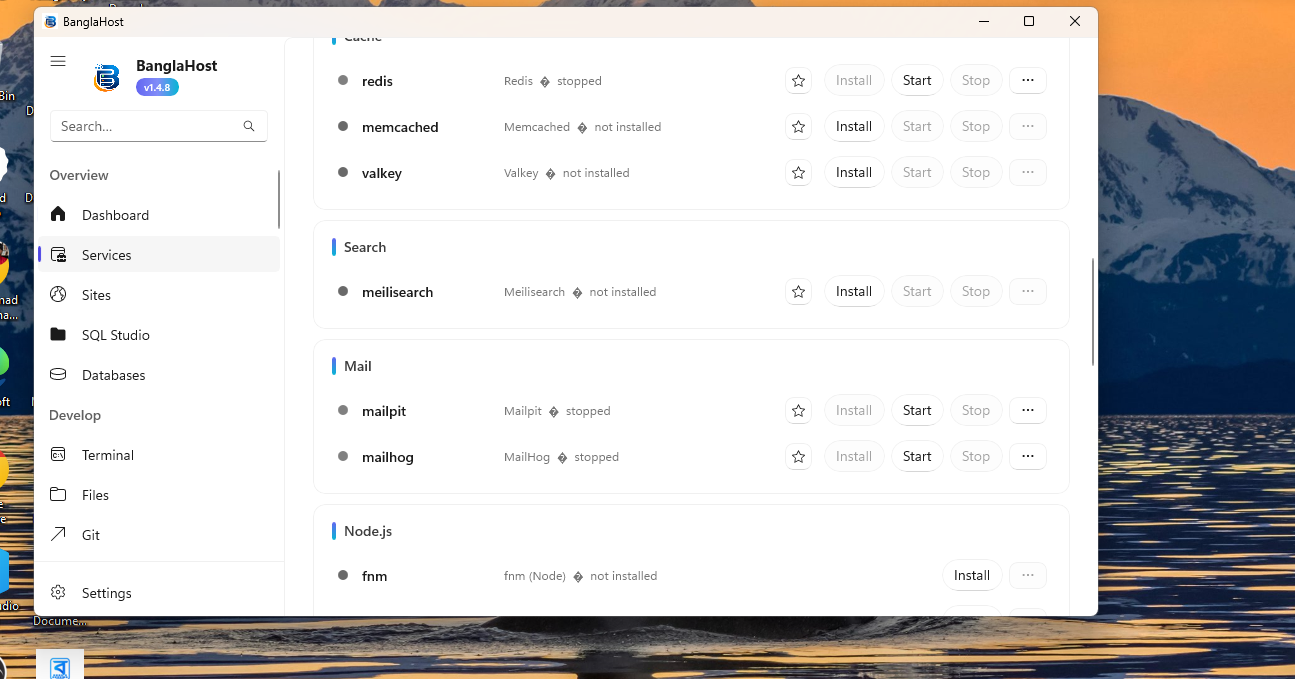
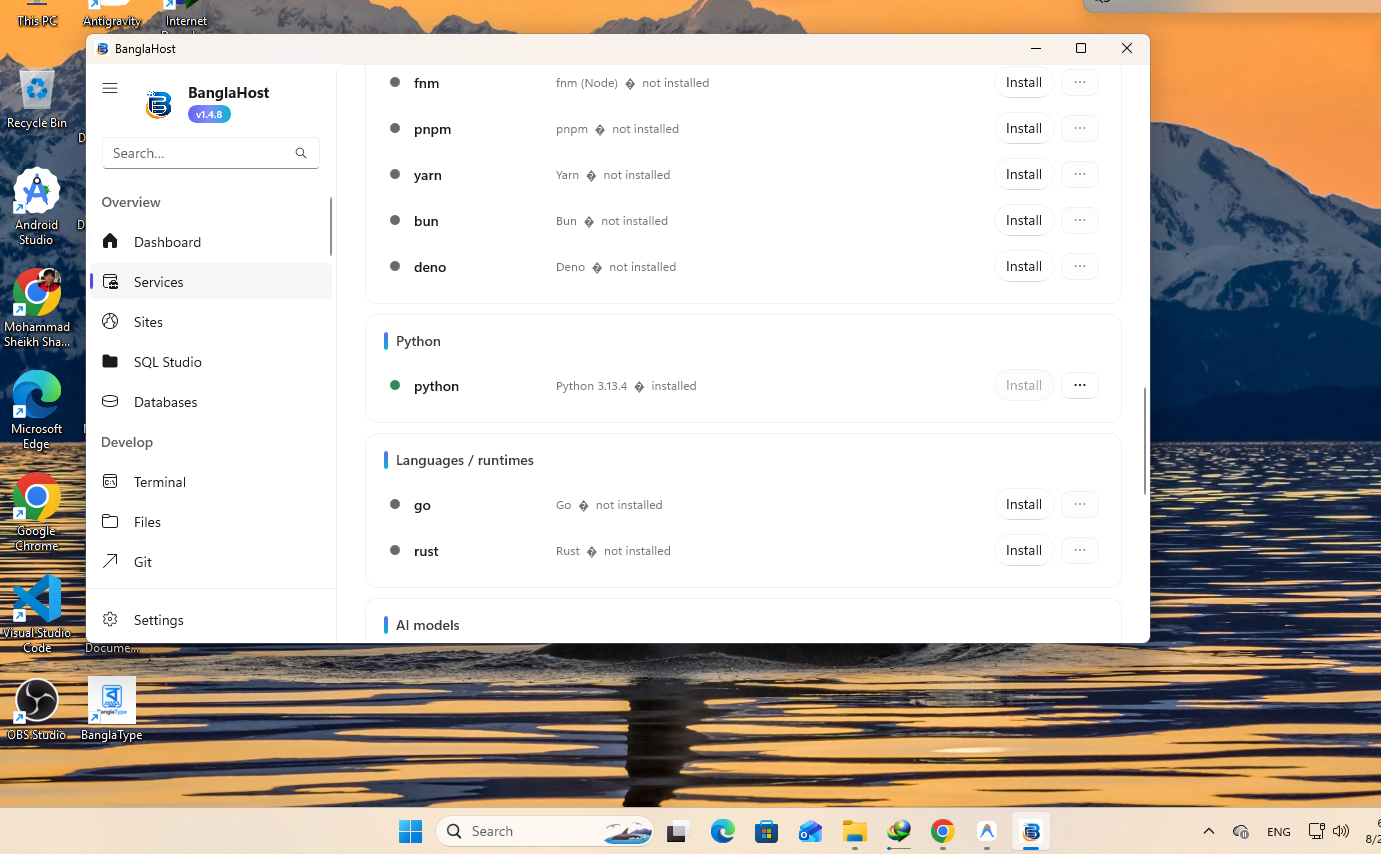
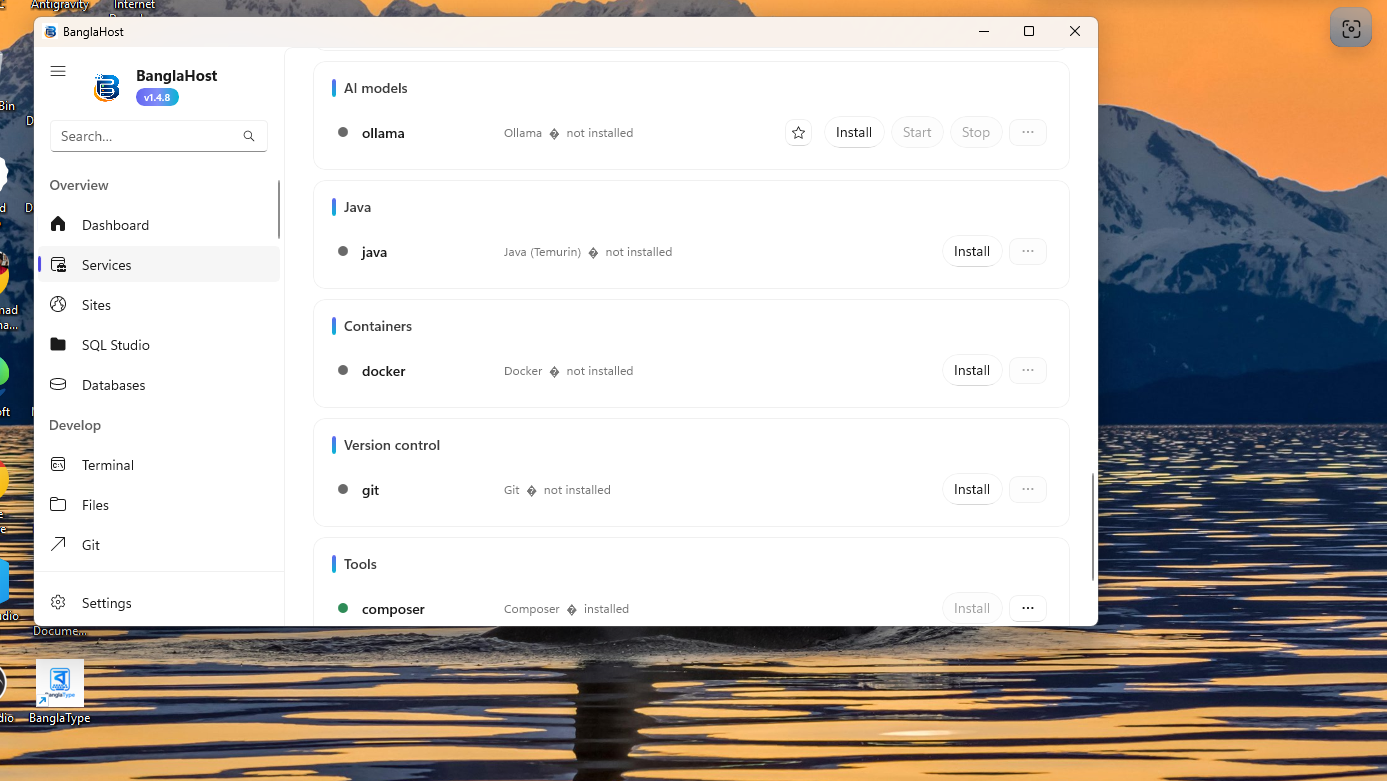
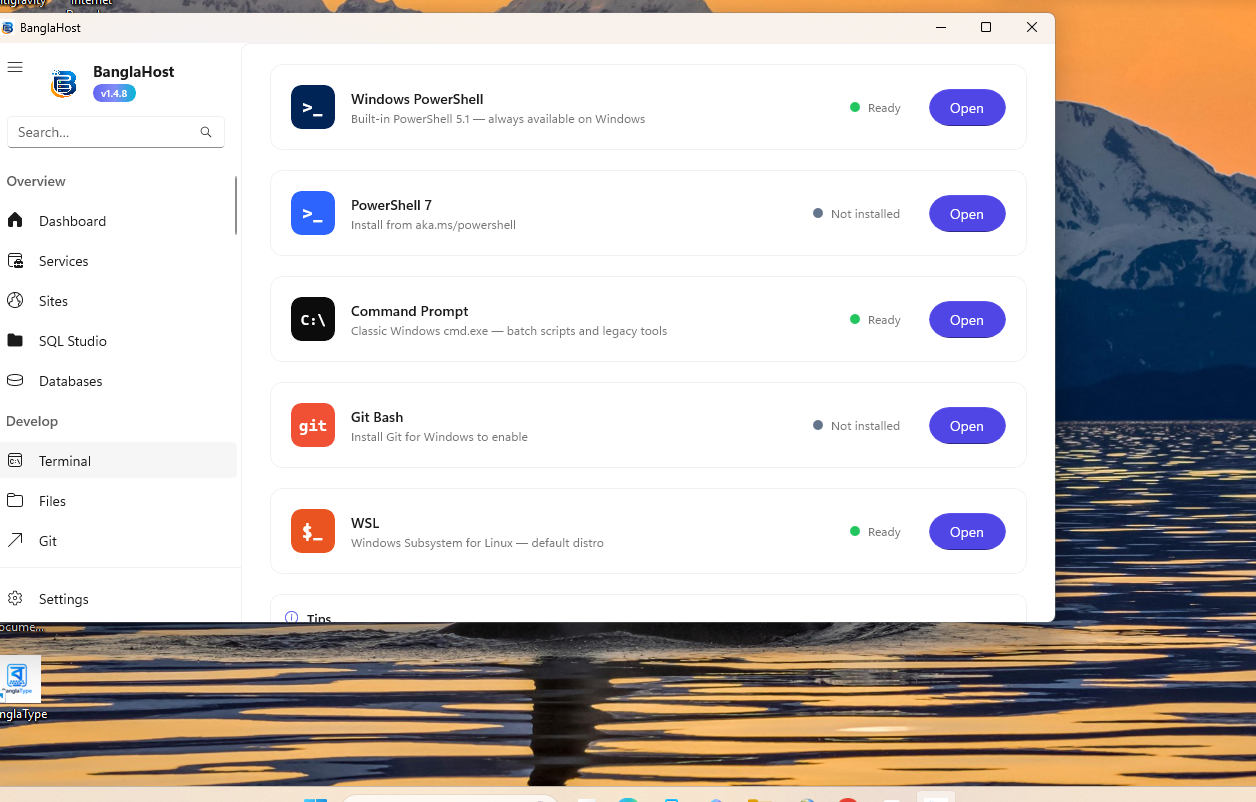
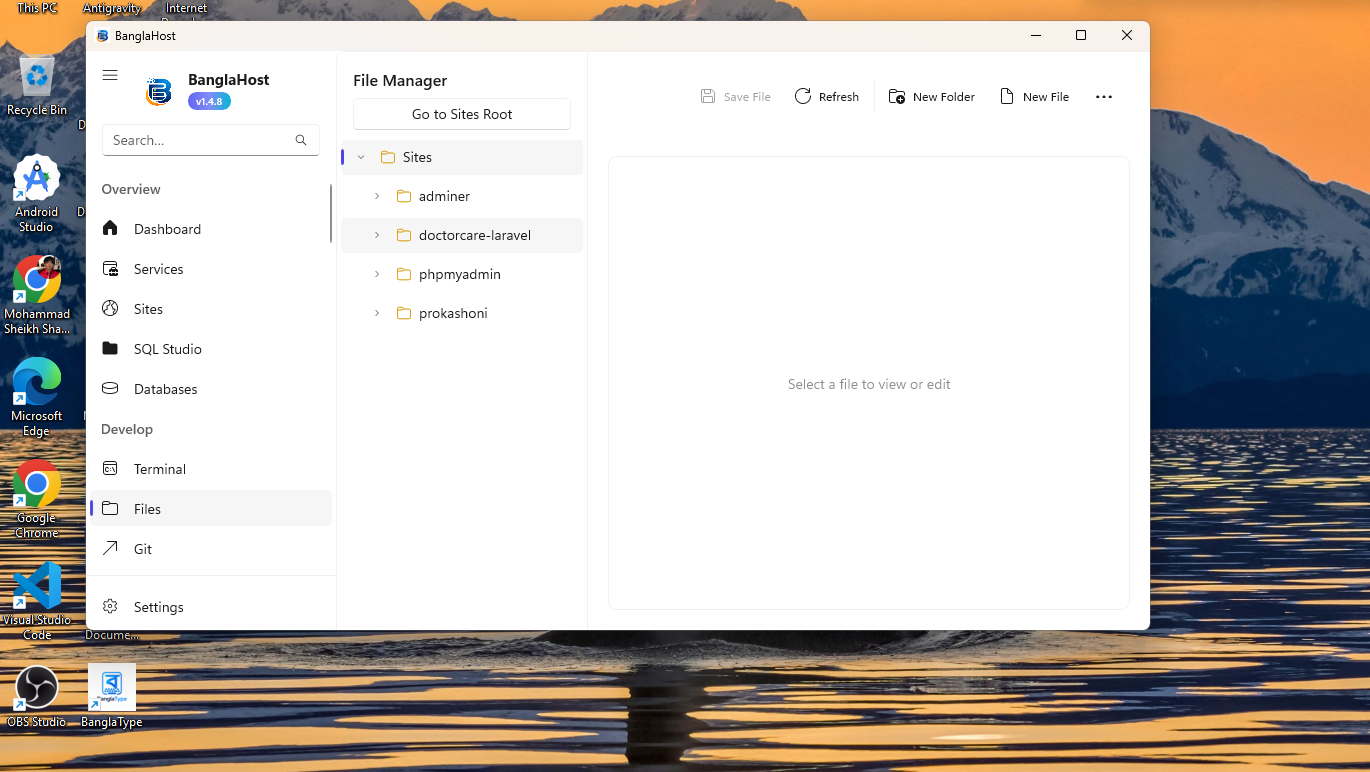
INTERFACE GALLERY

Perfectly Matched with Windows 11

As beautiful as it is fast. Take a look at the comprehensive WinUI 3 interface.

SYSTEM REQUIREMENTS

What do you need?

BanglaHost is extremely lightweight and fast. However, for the best performance, your PC should meet the following specifications:

  • Operating System: Windows 10 (Version 1809 or higher) or Windows 11 (Recommended)
  • Processor (CPU): Any 64-bit (x64) Dual-Core Processor
  • Memory (RAM): Minimum 4GB (8GB Recommended)
  • Storage: 500MB free space for the app (Additional space required for your projects and databases)
FAQ

Frequently Asked Questions

Is BanglaHost completely free?

Yes, BanglaHost is completely free and open-source. You can use all of its premium features without any subscriptions or hidden fees.

How is it different from XAMPP or Laragon?

Compared to XAMPP or Laragon, BanglaHost is much more modern (built with .NET 8 and WinUI 3). It includes advanced tools built-in, such as Cloudflare Tunnels, AI Assistant, Mailpit, Native SQL Studio, Site Cloning, and Auto SSL, which are not typically found together elsewhere.

Can I use multiple PHP versions simultaneously?

Yes! You can select a different PHP version for each site (e.g., PHP 7.4 for one site and PHP 8.2 for another) and they will run concurrently without any conflicts.

Does it support WordPress and Laravel?

Absolutely. BanglaHost is designed specifically with WordPress and Laravel developers in mind. It features 1-click installations, WP-CLI, Composer, and Auto PHP Detection to make development effortless.

🎉 Try the latest version today!

Multiply your development speed. Start working today without any configuration hassle.

Latest Release: Version 1.5.1.0

💬 Join the Community

Got a question? Found a bug? Want to share your project? Join our growing community of developers!